Launch Week · Day 1
Introducing CoolFocus 5
The biggest release in 25 years.
Day 1 is the first look at CoolFocus 5 — a high-level introduction to what’s new, and the starting point for everything we’ll be revealing this week.
Overview Video
Day 1 Highlights
- Rebuilt dashboard with organization-wide announcements, tasks, appointments, and approvals.
- New navigation organized around Give, Care, and Serve.
- All-new data grids, visual segments, and rebuilt interactive reports.
- Built-in document merge, printing, and email sending.
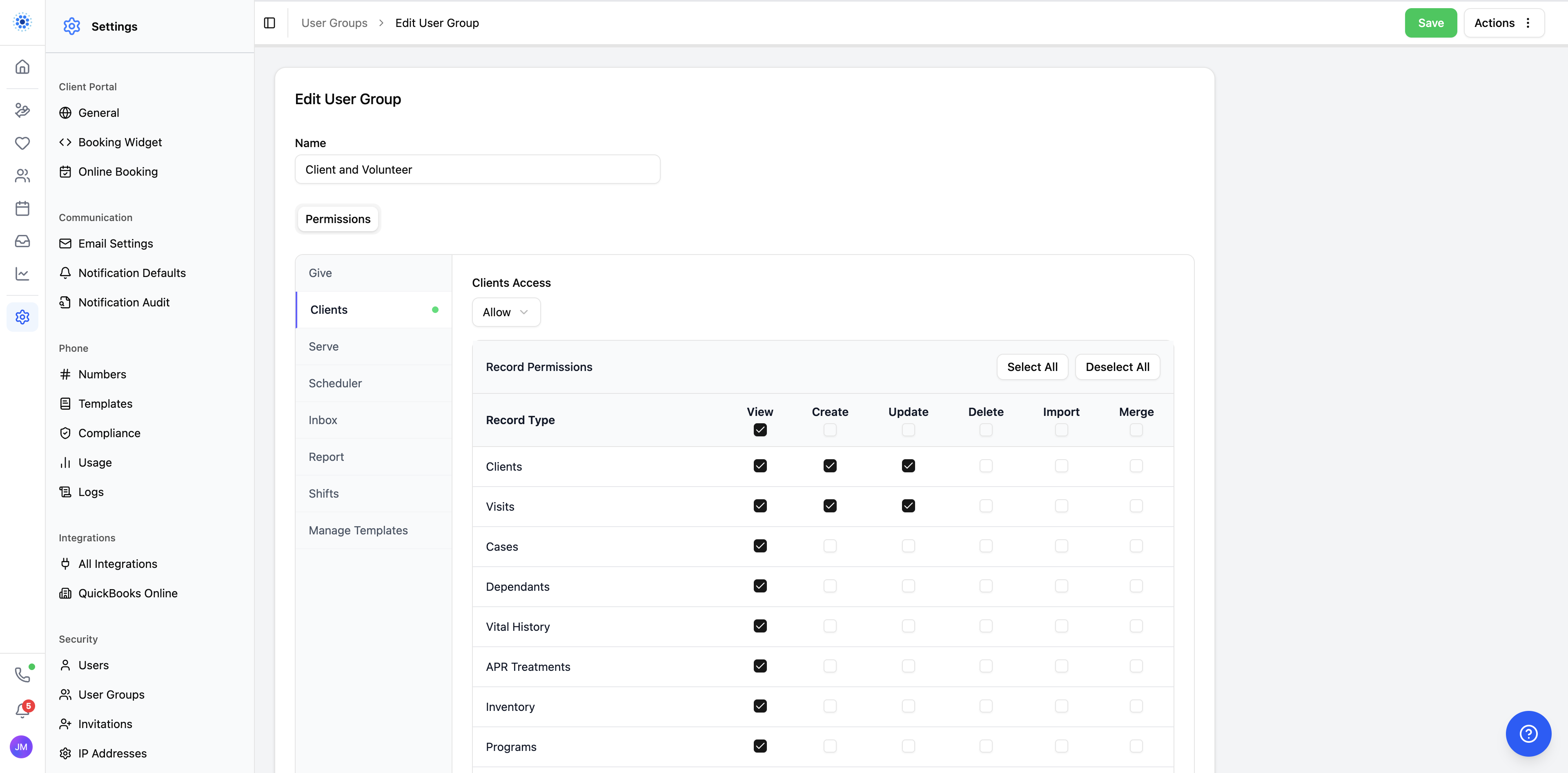
- Better communication, scheduling, and more precise permissions across the platform.
We've been building software for pregnancy centers and Christian ministries since 1999. In that time, we've never done anything close to this.
CoolFocus 5 is not a patch or an incremental update. It's the next generation of the platform — a completely new experience built on top of your existing data, with a modern interface, powerful new capabilities, and the same foundation your organization relies on every day.
For many of the pregnancy centers we serve, this is the launch they have been waiting on. Today is the overview. The rest of the week goes deep. But fair warning: there is a lot to cover.
A new front door for the platform
The most obvious change is the one you'll see the moment you log in. CoolFocus 5 starts with a rebuilt dashboard designed to help teams orient faster, with organization-wide announcements, tasks, appointments, and awaiting approvals all visible at the start of the day.
The old top-nav bar with its horizontal tabs is gone. The new sidebar puts every major area one click away, but the bigger change is conceptual: instead of making teams think in separate buckets like Donors, Clients, and Volunteers, CoolFocus 5 organizes work around clearer homes like Give, Care, and Serve. Give is the new home for donor and fundraising work. Care is the new home for client work. Serve is the new home for volunteer work.
This is not just a cleaner look. It is a better mental model for how ministry teams actually work, and it gives staff and volunteers a faster way to see what matters to them without hunting through the system.
What's new — at a glance
Day 1 is the overview. These are the product themes the video introduces before the rest of Launch Week goes deeper.
Experience
Dashboard and first impression
A rebuilt dashboard puts announcements, tasks, appointments, and approvals in front of staff right away.
Navigation
Give, Care, and Serve
The platform is reorganized around the work itself, with clearer homes for fundraising, client care, and volunteer coordination.
Data
Grid and visual segments
The new data grid and visual segment builder turn raw records into focused, usable lists your team can act on.
Reporting
Reports, email, and document merge
Interactive reports, geographic reporting, document merge, printing, and email all work from the same live data.
Care
Client workflow and scheduling
Client overviews, case journeys, in-office scheduling, and embeddable online booking all move the care experience forward.
Communication
Inbox, calling, and control
Secure messages, texting, calls, internal notes, and fine-grained permissions keep communication connected and protected.
What Day 1 is really showing
Day 1 is the first look, but it is about more than a new design. It is about making CoolFocus easier to understand, easier to use, and better connected so your team can spend less time fighting software and more time focused on ministry.
That starts with a clearer front door, a better navigation model, and records that are easier to work with. From there, new data grids, visual segments, rebuilt reports, email, and built-in document merge make it simpler to move from information to follow-up without all the usual jumping around.
On the care side, the same attention to detail shows up in client overviews, case journeys, scheduling, inbox, and security. For many centers, that means less friction for staff, better care for women and families, and more space to stay focused on work that truly helps save lives.
The result:
- A clearer front door — dashboard, navigation, and records designed to help teams orient faster
- A stronger data engine — grids, segments, and interactive reports that make it easier to work with live data
- Connected follow-through — document merge, email, inbox, and phone all tied back to the record
- Better care workflows — client overviews, cases, visits, forms, and scheduling built for real ministry work and real client needs
- More precise control — finer-grained permissions, stronger authentication, and IP-level guardrails where organizations need them
What comes after Day 1
Today is the broad reveal. The rest of Launch Week goes deeper one day at a time, with each announcement opening when it is ready.
That means we are not dropping every detail at once. The deeper product walkthroughs, rollout specifics, and the rest of the release story will open on their own schedule through the week.
What's coming this week
The rollout, day by day
Monday is the keynote overview. Then each day goes deeper into one part of the platform.
Trust
Built for trust and control
CoolFocus 5 now layers in Clerk-backed account protection like password breach detection, brute-force protection, and modern authentication flows. But login is only half the story. The part that actually earns credibility is finer-grained control over what teams can view, create, update, delete, import, and merge.
See it for yourself
If you are wondering what comes next, get CoolFocus 5 next-step updates for rollout timing, training, and practical follow-up. If you are an existing customer and want the bigger picture on how this works, see the transition path.
This is just Day 1
There is much more to share this week. Get the next-step updates or see how the transition works for your team.